Skip to content
EVO Lite 640T Enterprise v1.0.2

3.2 Aircraft Components

Aircraft · Source PDF pages 45–48

EVO Lite 640T Enterprise · SE V2 controller · v1.0.2

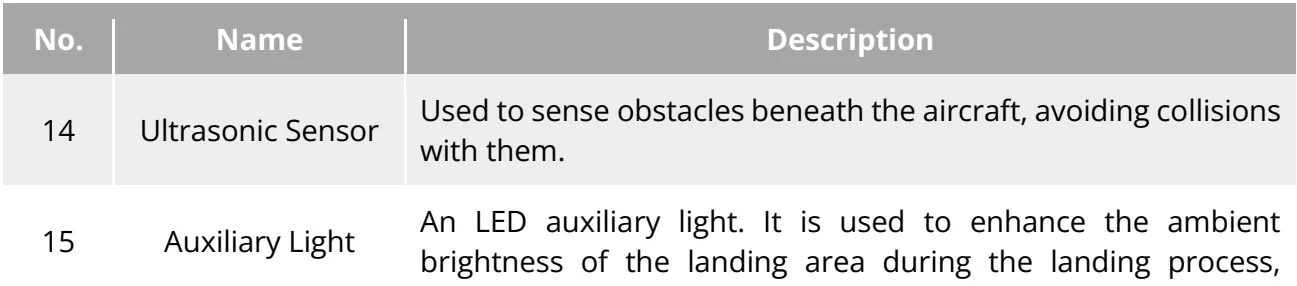
The EVO Lite Enterprise Series multi-rotor drone includes two models: the EVO Lite 6k Enterprise Aircraft and the EVO Lite 640T Enterprise Aircraft. Apart from differences in the gimbal camera, the other features of the two models are consistent. The picture of the EVO Lite 6K Enterprise aircraft is as follows: PDF p. 45

Aircraft Overhead View
Aircraft Overhead View PDF p. 45
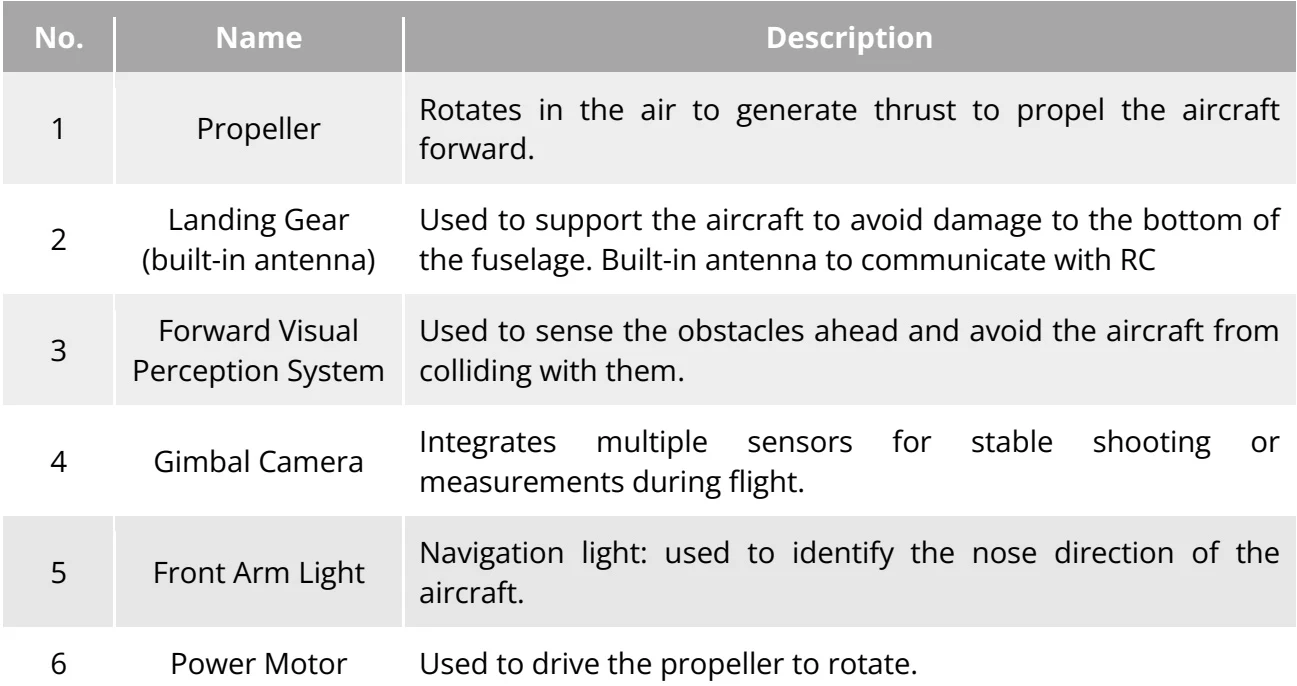
Table 3-1 Aircraft Overhead View Details PDF p. 46
No.NameDescription
1PropellerRotates in the air to generate thrust to propel the aircraft forward.
2Landing Gear (built-in antenna)Used to support the aircraft to avoid damage to the bottom of the fuselage. Built-in antenna to communicate with RC
3Forward Visual Perception SystemUsed to sense the obstacles ahead and avoid the aircraft from colliding with them.
4Gimbal CameraIntegrates multiple sensors for stable shooting or measurements during flight.
5Front Arm LightNavigation light: used to identify the nose direction of the aircraft.
6Power MotorUsed to drive the propeller to rotate.
View the original table / diagramOriginal Table 3-1 Aircraft Overhead View Details
Aircraft Rear View
Aircraft Rear View PDF p. 46
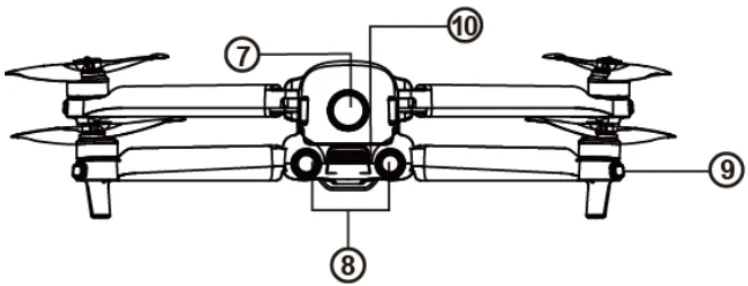
Table 3-2 Aircraft Rear View Details PDF p. 46
No.NameDescription
7Power buttonPress and hold the power button for 3s to start the aircraft.
8Rear Visual Perception SystemUsed to sense the obstacles in the rear and avoid the aircraft from colliding with them.
9Rear Arm LightStatus Light: used to display the current flight status of the aircraft.
10Exhaust ventUsed to expel the heat generated by the aircraft
View the original table / diagramOriginal Table 3-2 Aircraft Rear View Details
Aircraft Side View
Aircraft Side View PDF p. 47
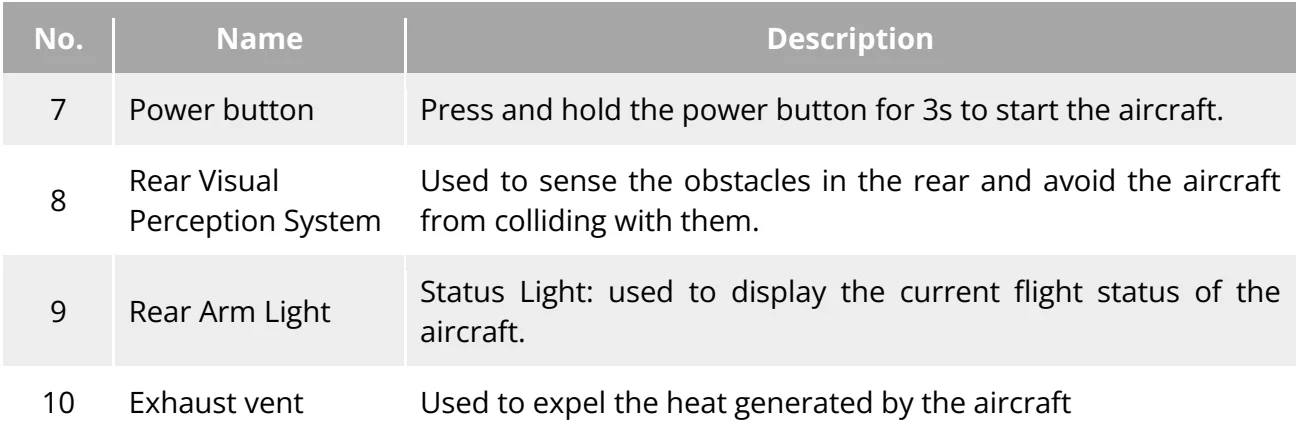
Table 3-3 Aircraft Side View Details PDF p. 47
No.NameDescription
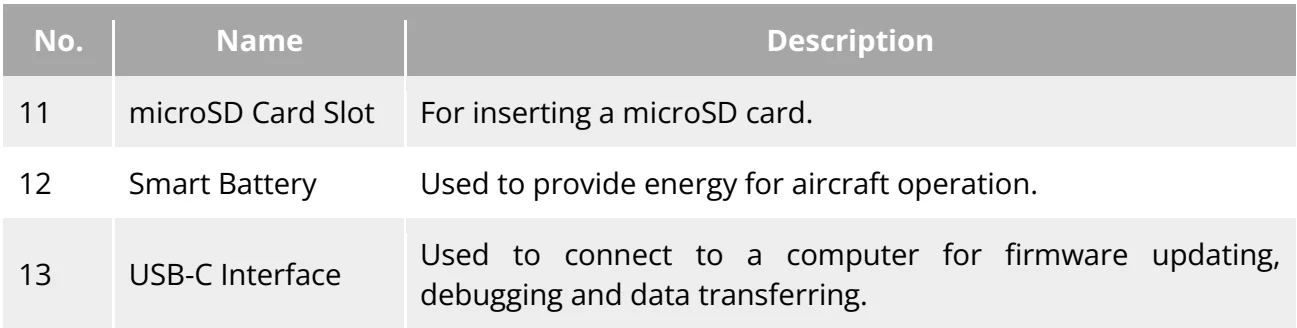
11microSD Card SlotFor inserting a microSD card.
12Smart BatteryUsed to provide energy for aircraft operation.
13USB-C InterfaceUsed to connect to a computer for firmware updating, debugging and data transferring.
View the original table / diagramOriginal Table 3-3 Aircraft Side View Details
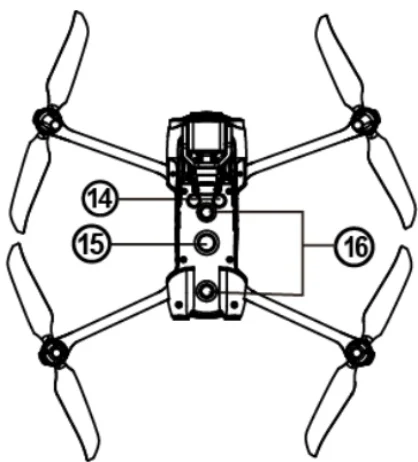
Aircraft Down View
Aircraft Down View PDF p. 47
Table 3-4 Aircraft Down View Details PDF p. 47
No.NameDescription
14Ultrasonic SensorUsed to sense obstacles beneath the aircraft, avoiding collisions with them.
15Auxiliary LightAn LED auxiliary light. It is used to enhance the ambient brightness of the landing area during the landing process,
View the original table / diagramOriginal Table 3-4 Aircraft Down View Details

improve downward visual sensing performance, and ensure the safe landing of the aircraft. PDF p. 48

Manufacturer reference table PDF p. 48
16Downward Visual Perception SystemUsed to sense obstacles below, and to the left and right of the aircraft and avoid collisions.
View the original table / diagramOriginal Manufacturer reference table

Warning

PDF p. 48

The interfaces on both sides of the aircraft body are equipped with rubber protective covers, designed to protect the microSD card slot and USB-C interface. Please ensure that the rubber protective covers are securely closed during the flight process. PDF p. 48

Do not disassemble components that were installed at the factory (except for components explicitly allowed in this manual), otherwise, the product will lose its warranty eligibility. PDF p. 48

Technical content and illustrations: Autel Robotics. Digital navigation and presentation: SkyFlow.

Source: EVO Lite Enterprise Series Aircraft User Manual v1.0.2. Physical PDF pages 45–48. Open source document

Location
Richmond Hill, Ontario, Canada