
EVO Lite 640T Enterprise · SE V2 controller · v1.0.2
If the flight application prompts an alert “The RC compass need to be calibrated”, please calibrate it, as shown below. PDF p. 87
| Step | Operation | |
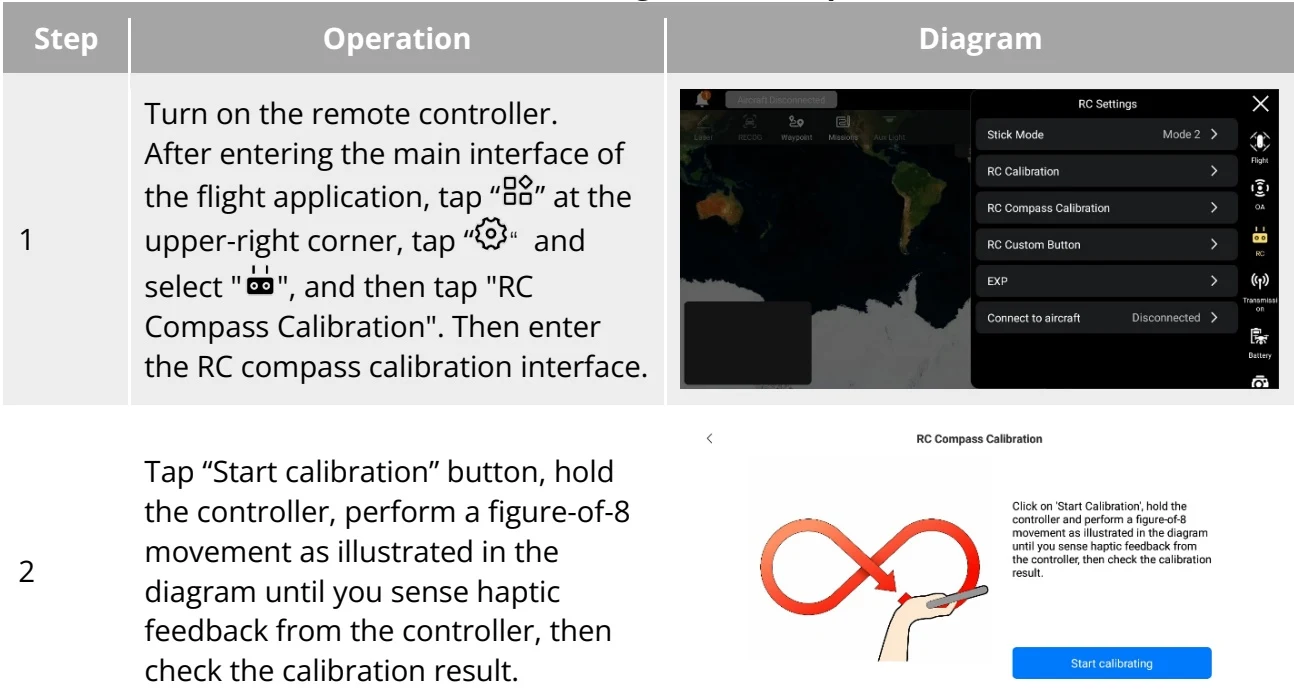
| 1 | Turn on the remote controller. After entering the main interface of the flight application, tap "◇" at the upper-right corner, tap "◇" and select "◇", and then tap "RC Compass Calibration". Then enter the RC compass calibration interface. | 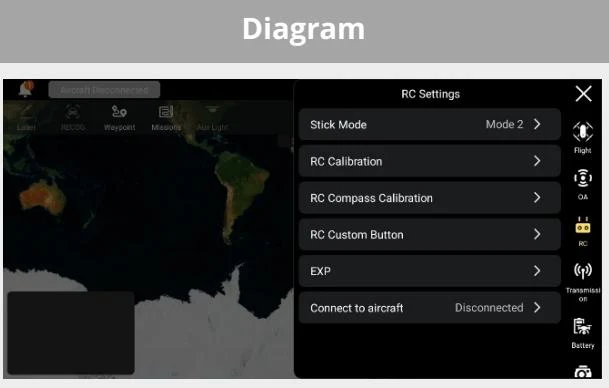 |
| 2 | Tap "Start calibration" button, hold the controller, perform a figure-of-8 movement as illustrated in the diagram until you sense haptic feedback from the controller, then check the calibration result. | RC Compass Calibration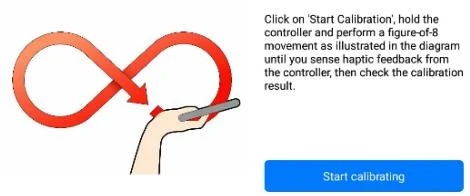 |
View the original table / diagram
Important
PDF p. 87Please calibrate the RC compass in the wide out-door area. PDF p. 87
During calibration, stay away from areas with strong magnetic fields or large pieces of metal, such as magnetite mines, parking lots, buildings with underground reinforcement bars, underground or overhead power transmission lines, etc. PDF p. 87
Do not carry ferromagnetic or metallic objects with you during calibration, such as mobile phones, watches, etc. PDF p. 87
During the calibration process, stay away from electrified objects. PDF p. 87