EVO Lite 640T Enterprise · SE V2 controller · v1.0.2
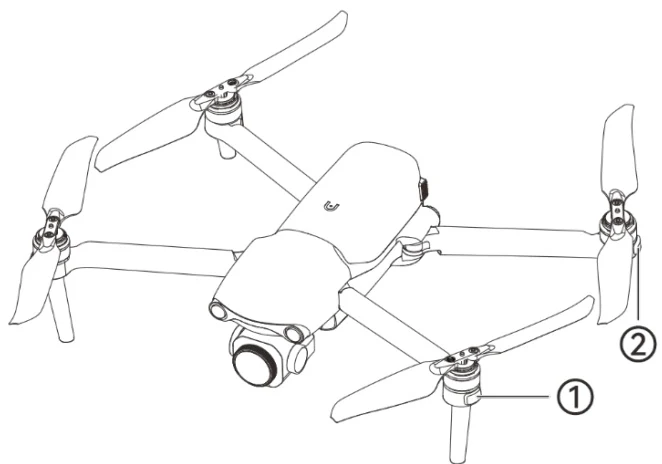
There is an LED indicator at the end of each arm of the aircraft. The front arm light is the heading light, and the rear arm light is the status light. After the aircraft takes off, the front arm lights will blink periodically, which can help you identify the direction of the aircraft nose; the rear arm lights will display the current flight status of the aircraft. PDF p. 50
The front arm light is green when it lights up, and the rear arm light can display green, yellow, and red depending on the scene. PDF p. 50
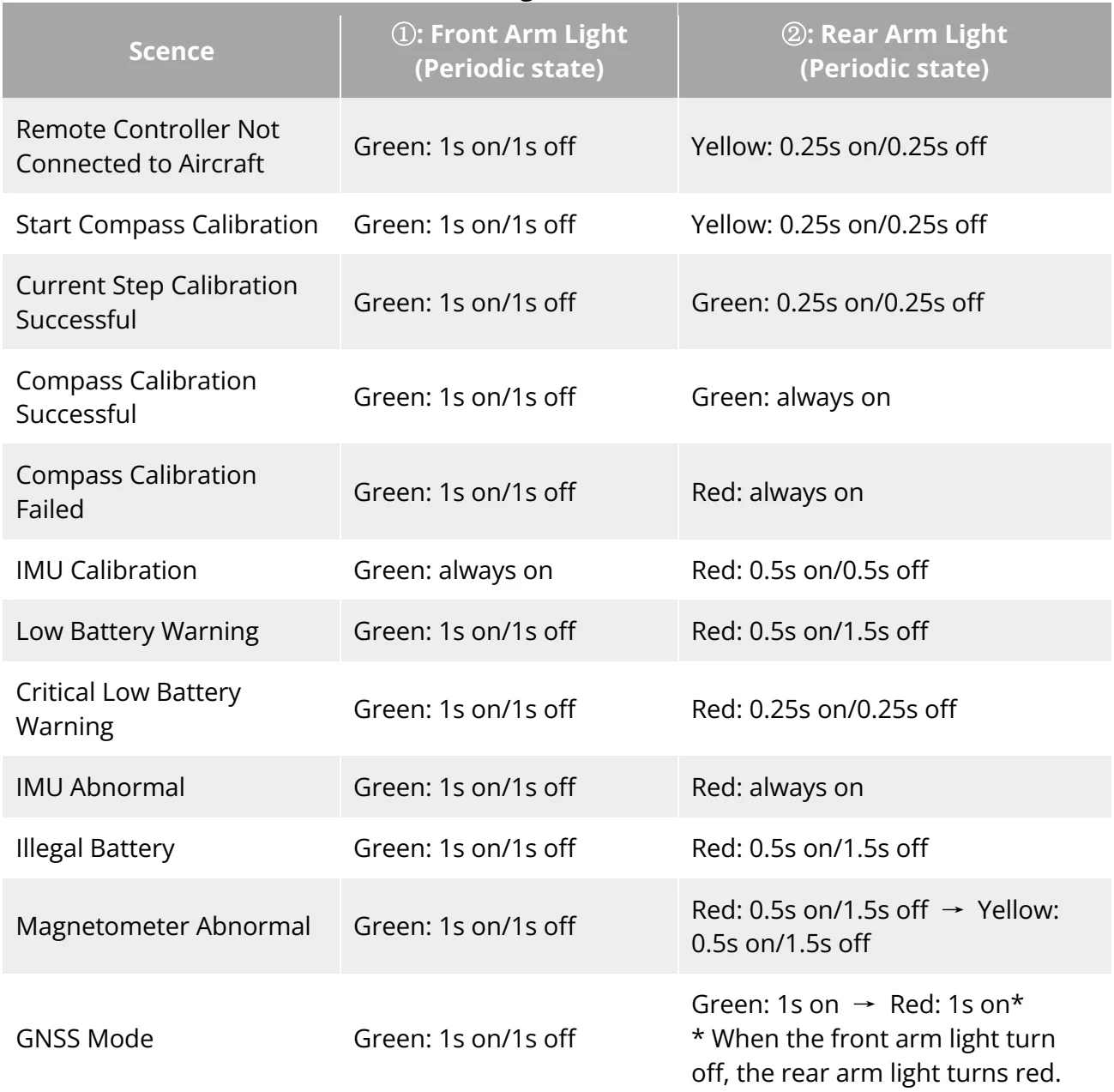
| Scence | 1: Front Arm Light (Periodic state) | 2: Rear Arm Light (Periodic state) |
| Remote Controller Not Connected to Aircraft | Green: 1s on/1s off | Yellow: 0.25s on/0.25s off |
| Start Compass Calibration | Green: 1s on/1s off | Yellow: 0.25s on/0.25s off |
| Current Step Calibration Successful | Green: 1s on/1s off | Green: 0.25s on/0.25s off |
| Compass Calibration Successful | Green: 1s on/1s off | Green: always on |
| Compass Calibration Failed | Green: 1s on/1s off | Red: always on |
| IMU Calibration | Green: always on | Red: 0.5s on/0.5s off |
| Low Battery Warning | Green: 1s on/1s off | Red: 0.5s on/1.5s off |
| Critical Low Battery Warning | Green: 1s on/1s off | Red: 0.25s on/0.25s off |
| IMU Abnormal | Green: 1s on/1s off | Red: always on |
| Illegal Battery | Green: 1s on/1s off | Red: 0.5s on/1.5s off |
| Magnetometer Abnormal | Green: 1s on/1s off | Red: 0.5s on/1.5s off → Yellow: 0.5s on/1.5s off |
| GNSS Mode | Green: 1s on/1s off | Green: 1s on → Red: 1s on* * When the front arm light turn off, the rear arm light turns red. |
View the original table / diagram
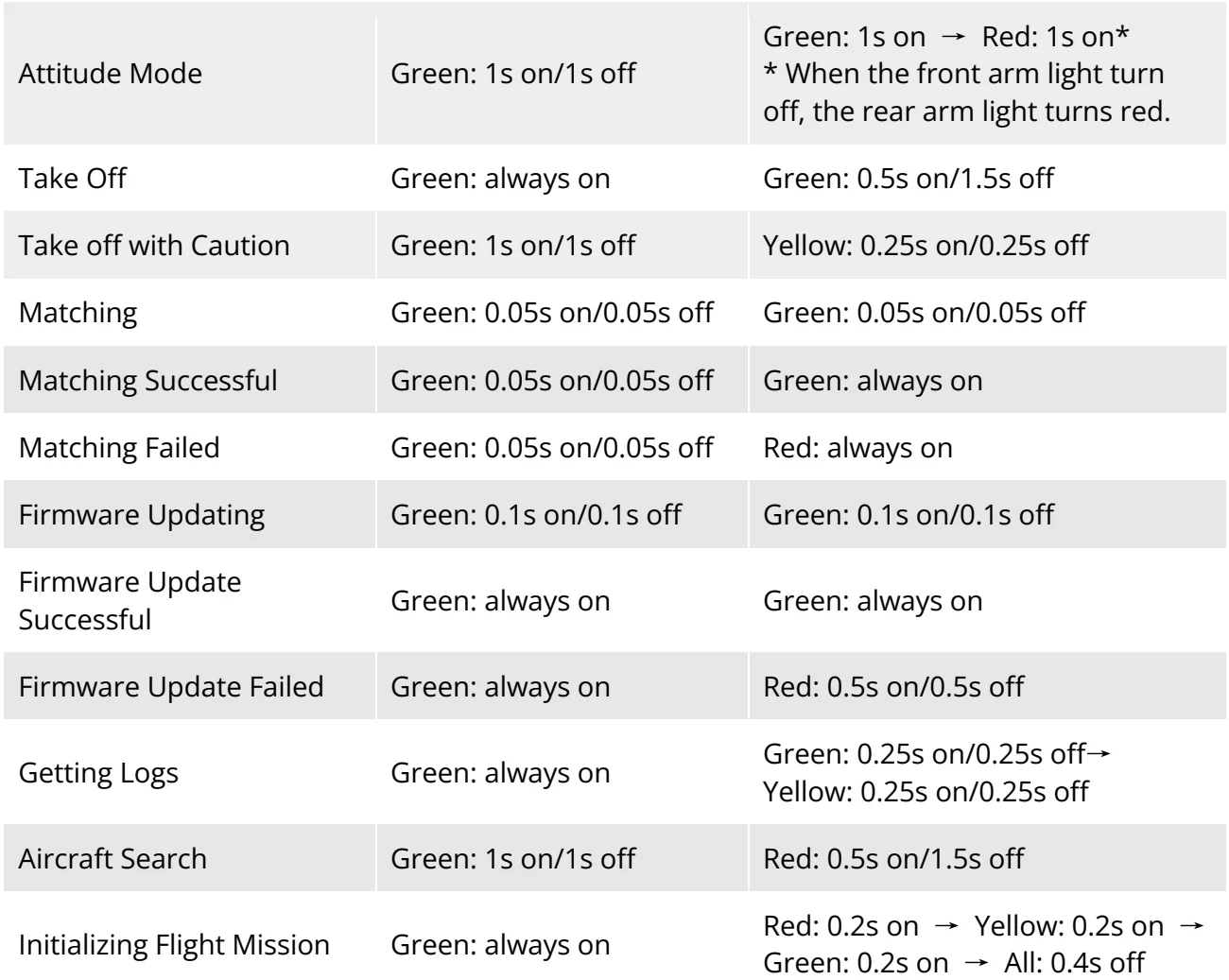
| Attitude Mode | Green: 1s on/1s off | Green: 1s on → Red: 1s on* * When the front arm light turn off, the rear arm light turns red. |
| Take Off | Green: always on | Green: 0.5s on/1.5s off |
| Take off with Caution | Green: 1s on/1s off | Yellow: 0.25s on/0.25s off |
| Matching | Green: 0.05s on/0.05s off | Green: 0.05s on/0.05s off |
| Matching Successful | Green: 0.05s on/0.05s off | Green: always on |
| Matching Failed | Green: 0.05s on/0.05s off | Red: always on |
| Firmware Updating | Green: 0.1s on/0.1s off | Green: 0.1s on/0.1s off |
| Firmware Update Successful | Green: always on | Green: always on |
| Firmware Update Failed | Green: always on | Red: 0.5s on/0.5s off |
| Getting Logs | Green: always on | Green: 0.25s on/0.25s off→ Yellow: 0.25s on/0.25s off |
| Aircraft Search | Green: 1s on/1s off | Red: 0.5s on/1.5s off |
| Initializing Flight Mission | Green: always on | Red: 0.2s on → Yellow: 0.2s on → Green: 0.2s on → All: 0.4s off |
View the original table / diagram