EVO Lite 640T Enterprise · SE V2 controller · v1.0.2
The aircraft comes standard with the MDXM_6175_1113 smart battery (hereafter referred to as smart battery) as the power battery. This battery is a rechargeable lithium-ion polymer (LiPo) battery and features high energy density and capacity. The smart battery can be charged with an MaxAd_3SA battery charger (model: AQ661-12755000D). PDF p. 89
Remarks
PDF p. 89The battery charger is included as part of the aircraft combo. You do not need to purchase it separately. PDF p. 89
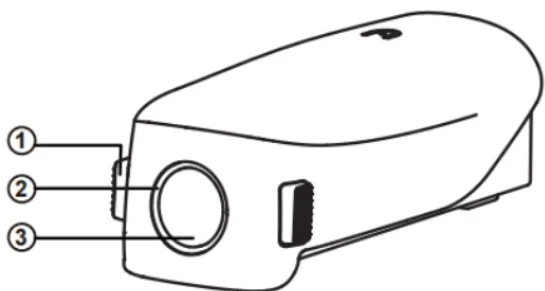
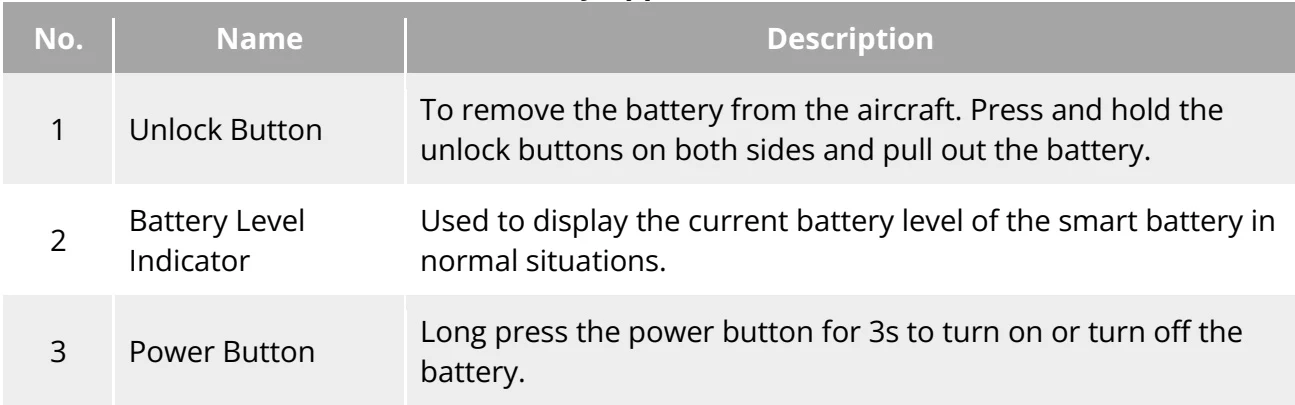
| No. | Name | Description |
| 1 | Unlock Button | To remove the battery from the aircraft.Press and hold the unlock buttons on both sides and pull out the battery. |
| 2 | Battery Level Indicator | Used to display the current battery level of the smart battery in normal situations. |
| 3 | Power Button | Long press the power button for 3s to turn on or turn off the battery. |
View the original table / diagram