
4.11.1 Custom Button C
PDF p. 84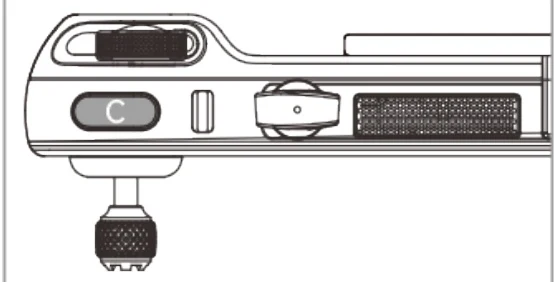
| No. | Function | Description |
| 1 | Visual Obstacle Avoidance On/Off | Press to trigger: turn on/off the visual sensing system.When this function is enabled, the aircraft will automatically hover when it detects obstacles in the visual sensing system. |
| 2 | Gimbal Pitch Recenter/45°/Down | Press to trigger: Switch the gimbal angle.➢ Gimbal Pitch Recenter: The heading angle of the gimbal returns from the current position to be consistent with the heading of the aircraft nose, and the gimbal pitch angle returns to a 0° direction from the current angle.➢ Gimbal Pitch 45°: The heading angle of the gimbal returns from the current position to be consistent with the heading of the aircraft nose, and the gimbal pitch angle rotates to a 45° direction from the current angle.➢ Gimbal Pitch Down: The heading angle of the gimbal returns from the current position to be consistent with the |
View the original table / diagram
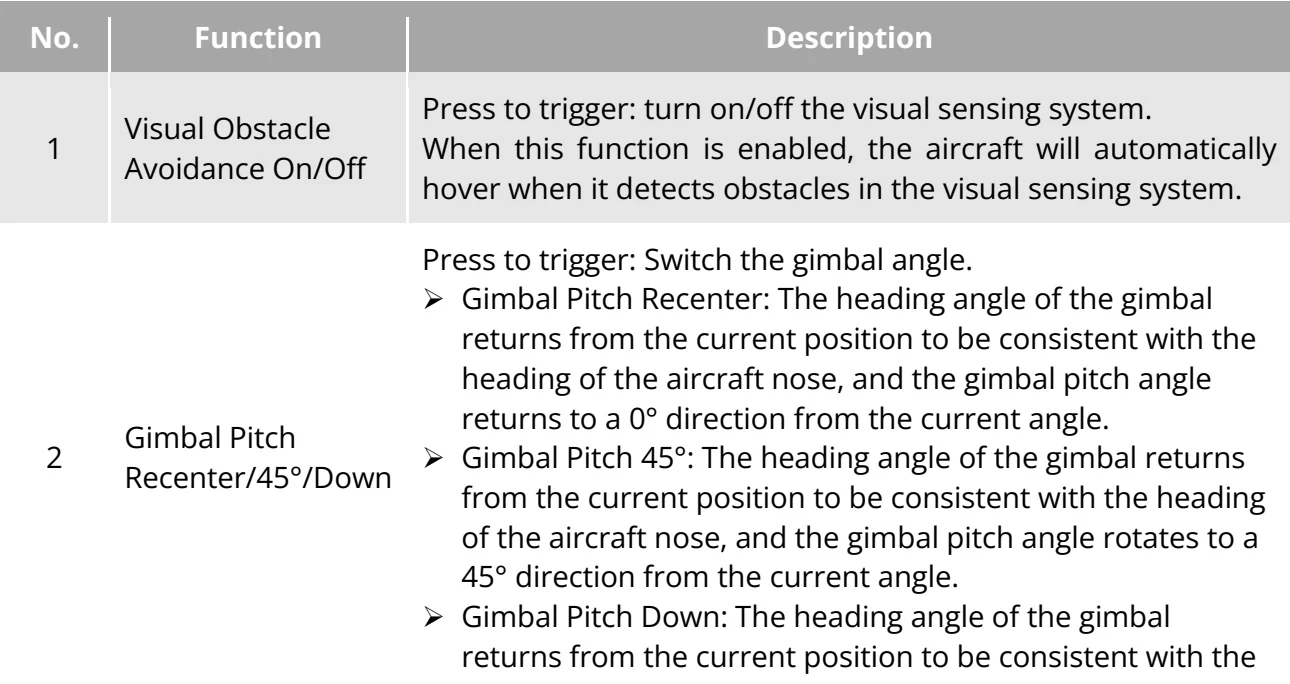
heading of the aircraft nose, and the gimbal pitch angle rotates to a 9 0 ^ { \circ } direction from the current angle. PDF p. 85
| 3 | Map/ImageTransmission | Press to trigger: Switch between map/image transmission interface. |
| 4 | Speed Mode | Press to trigger: Switch speed mode of the aircraft. For details, please refer to "3.8.2 Flight modes" in chapter 3. |
View the original table / diagram

4.11.2 Take-off/Return-to-Home Button and Pause Button
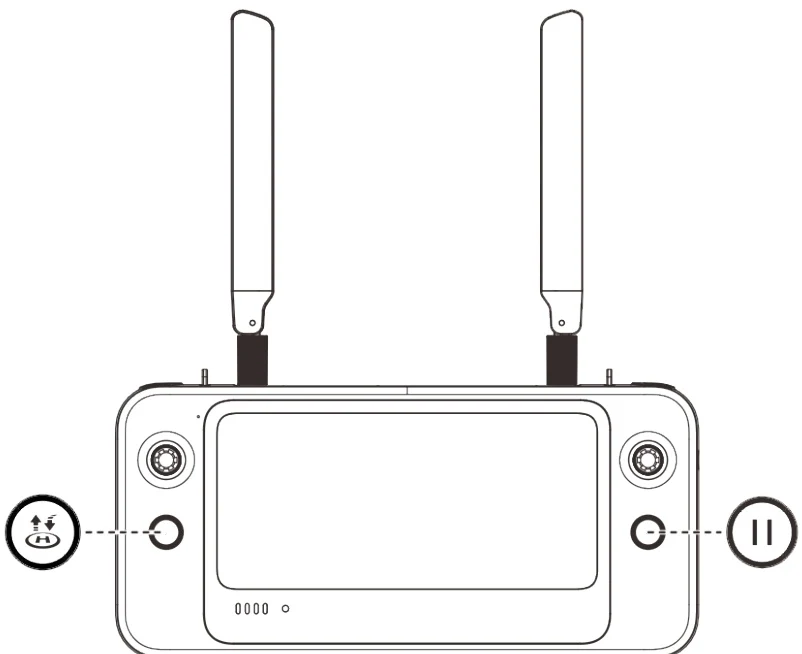
PDF p. 85To manually activate the auto-return function, press and hold the take-off/return-to-home button illustrated on the remote controller for 2 seconds until the remote controller emits a "beep" sound. Upon receiving the command, the aircraft will automatically return and land at the preset home point. PDF p. 85
Original instruction with its control symbol

When the aircraft is in the auto-return state, the remote controller will be disabled. You can short press the pause button illustrated until the remote controller emits a "beep" sound to pause the autoreturn, or long press the pause button \textcircled{m} n for 2 seconds until the remote controller emits a "beep" sound to exit the auto-return. After pausing or exiting the auto-return, you can reactivate the remote controller for controlling the aircraft. PDF p. 85
Original instruction with its control symbol

Warning
PDF p. 86If the auto-return home point is not suitable for the aircraft to land (such as uneven ground and crowds), please exit the auto-return before the aircraft reaches the home point, and then manually resume control to land. PDF p. 86