
EVO Lite 640T Enterprise · SE V2 controller · v1.0.2
The aircraft is equipped with a three-axis stabilized gimbal with a high-precision power motor structure, which can ensure stable camera shooting when the aircraft is flying. PDF p. 55
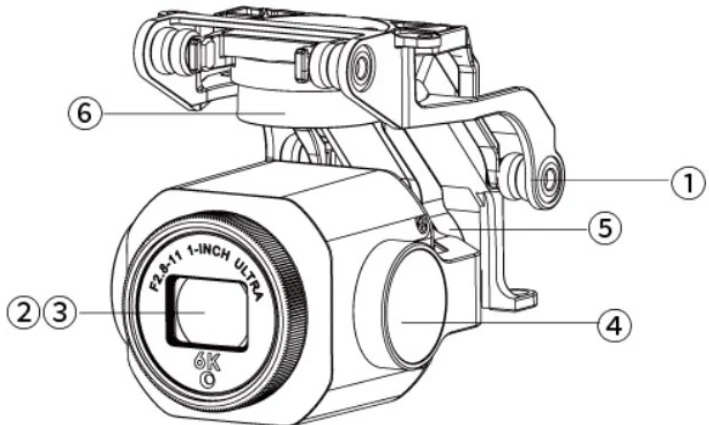
| No. | Name | Description |
| 1 | Dampener Mount | Used to support dampeners and gimbal cameras, etc. |
| 2 | Camera | Used to capture pictures or videos. |
| 3 | UV Lens | Used to filter ultraviolet rays, protect the lens. |
View the original table / diagram
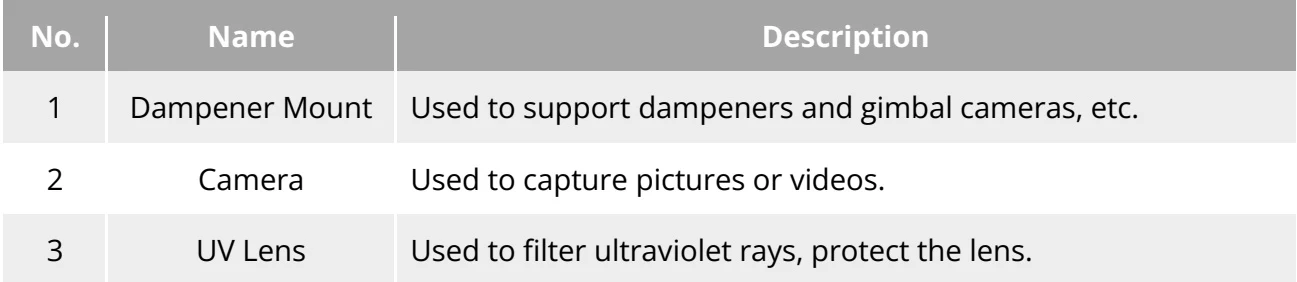
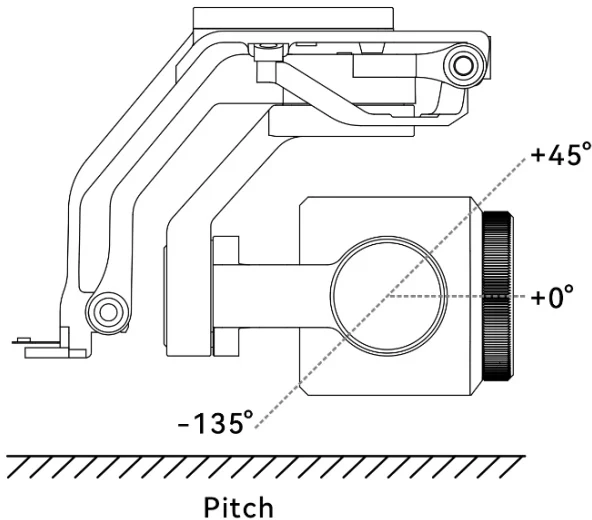
| 4 | Pitch Axis Power Motor | Used to control the moving range of the gimbal to rotate up or down (mechanical range: -135°~45°, controllable movement range: -90°~30°). |
| 5 | RollAxis Power Motor | Used to control the moving range of the gimbal to roll left or right (mechanical range: -45°~45°). |
| 6 | YawAxis Power Motor | Used to control the moving range of the gimbal to rotate left or right with its own axis (mechanical range: -90°~90°). |
View the original table / diagram
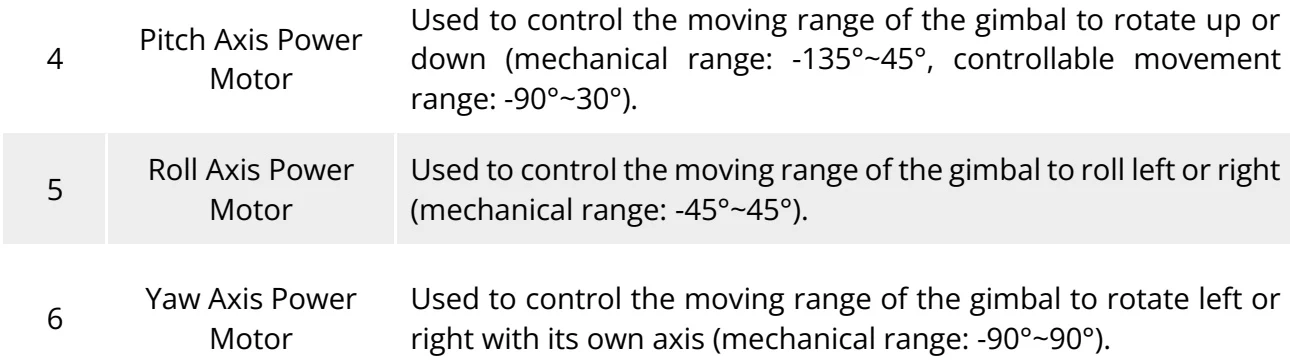
3.7.1 Gimbal mechanical rotation range
PDF p. 56The mechanical rotation ranges of the pitch, yaw, and roll axes of the gimbal are shown below. PDF p. 56
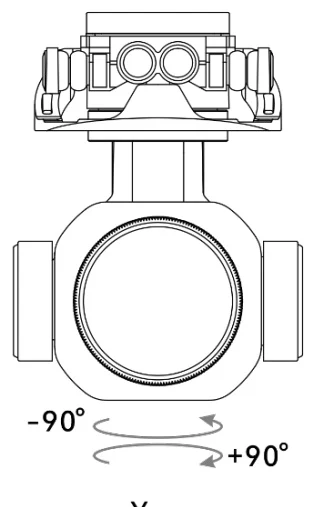
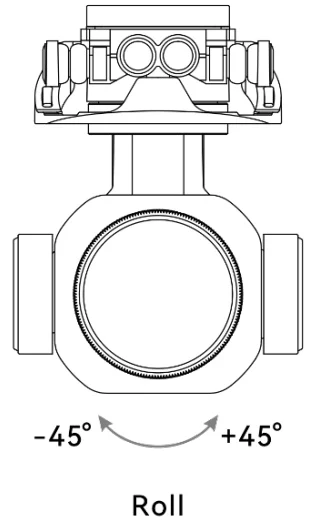
Remarks
PDF p. 56For details about the gimbal of the EVO Lite 640T Enterprise aircraft, please refer to { \mathbb { A } } 2 Gimbal camera” in appendix A. PDF p. 56
3.7.2 Gimbal operations
PDF p. 56RC Control
PDF p. 56Left Dial Wheel: Used to adjust the gimbal pitch. Turn left to rotate the gimbal down and turn right to rotate the gimbal up. PDF p. 56
RC Customizable Button C: After setting the C button to "Re-center/45°/Down”, you can switch the gimbal angle by single-clicking the C Button. PDF p. 56