EVO Lite 640T Enterprise · SE V2 controller · v1.0.2
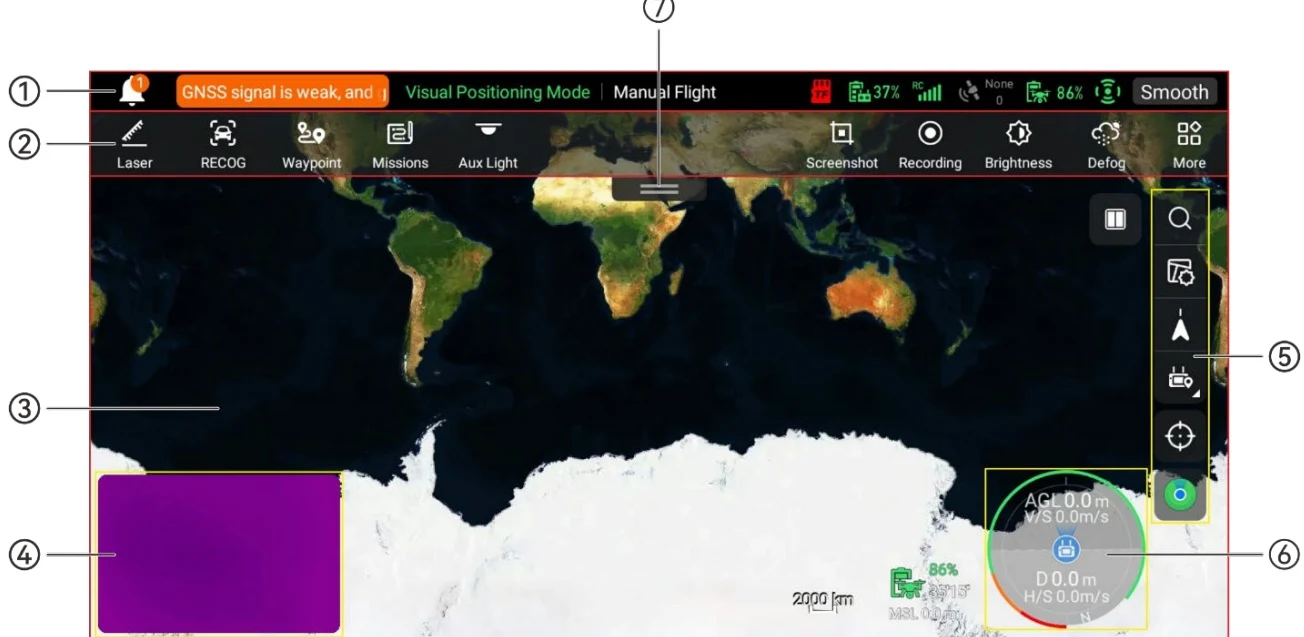
After turning on the remote controller, you will automatically enter the main interface. PDF p. 99
Main Interface of the Flight Application (EVO Lite 640T Enterprise Aircraft) PDF p. 99
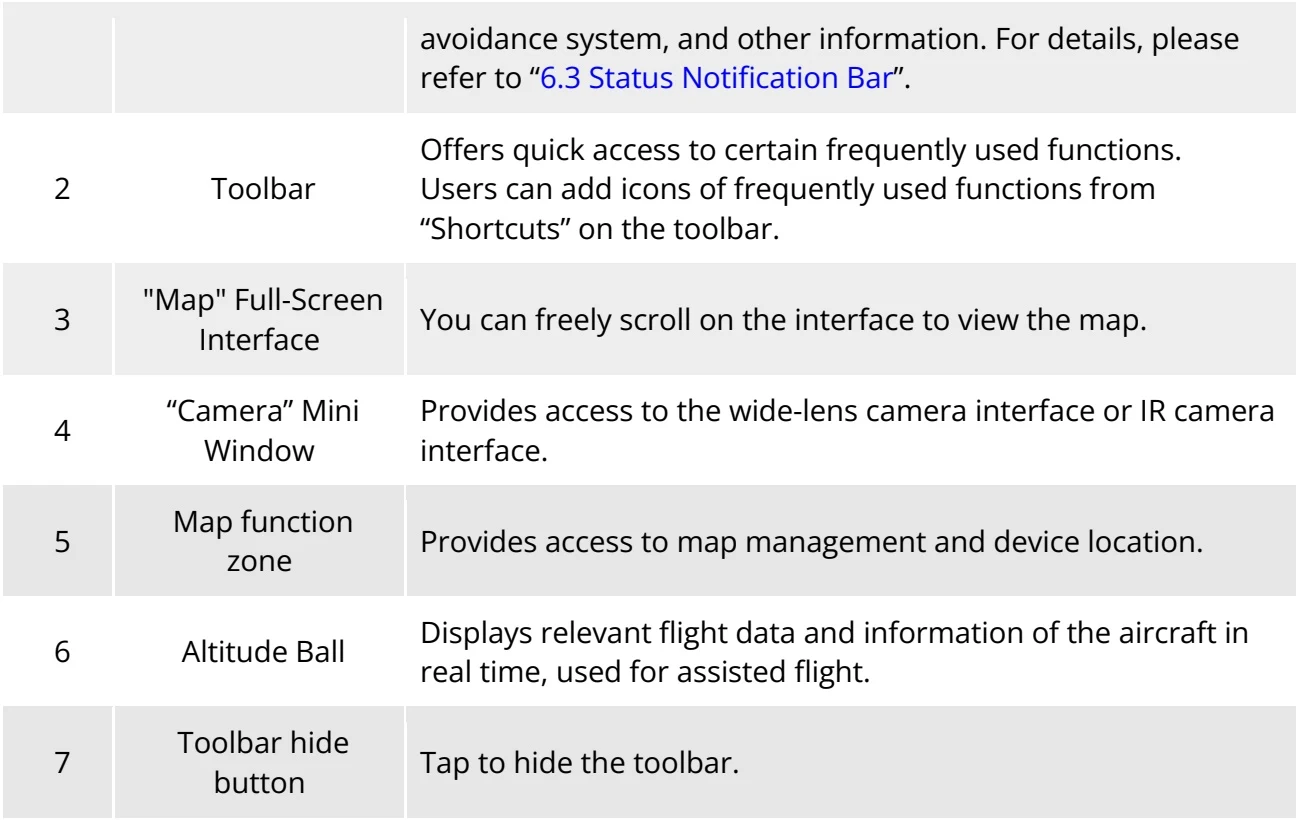
Table 6-1 Details of the Main Interface of the Flight Application PDF p. 99
No.
Name
Description
1
Status Notification Bar
Displays the flight mode, warning information, flight status, battery level of the remote controller and aircraft, remote controller signal, GNSS signal, operating status of the obstacle
avoidance system, and other information. For details, please refer to “6.3 Status Notification Bar”.
2
Toolbar
Offers quick access to certain frequently used functions.Users can add icons of frequently used functions from “Shortcuts” on the toolbar.
3
"Map" Full-Screen Interface
You can freely scroll on the interface to view the map.
4
“Camera” Mini Window
Provides access to the wide-lens camera interface or IR camera interface.
5
Map function zone
Provides access to map management and device location.
6
Altitude Ball
Displays relevant flight data and information of the aircraft in real time, used for assisted flight.
7
Toolbar hide button
Tap to hide the toolbar.
View the original table / diagram
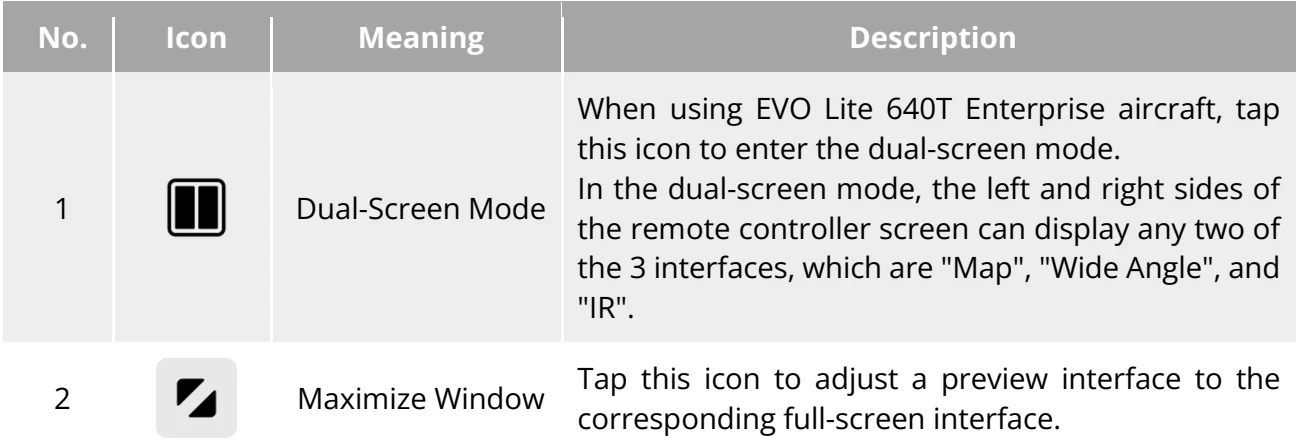
Table 6-2 Multi-Screen Switching Operations on the Main Interface PDF p. 100
No.
Icon
Meaning
Description
1
Dual-Screen Mode
When using EVO Lite 640T Enterprise aircraft, tap this icon to enter the dual-screen mode.In the dual-screen mode, the left and right sides of the remote controller screen can display any two of the 3 interfaces, which are "Map", "Wide Angle", and "IR".
2
Maximize Window
Tap this icon to adjust a preview interface to the corresponding full-screen interface.